Wednesday, 30 December 2015


Monday, 28 December 2015

Sunday, 27 December 2015
Windows 7 Genuine Notification Removal Tool
Windows 7 Genuine Notification Removal Tool
If anyone has encountered with the following error / windows genuine notification error / your windows is not genuine

Download SoftwareW
how to check fake id on facebook
How can you detect the Fake FB Profile. On these days we are getting so many friend request specially by girls, but there is no way to identify that account is fake or original. So don't worry we are going to tell you simple method to detect fake Facebook account.

So this is a Facebook account which named by Sarikha Agarwal. Now we need to verify this account real or fake, so our first step is going to the images.google.com and click on camera image.

So this is a Facebook account which named by Sarikha Agarwal. Now we need to verify this account real or fake, so our first step is going to the images.google.com and click on camera image.
So when you click on search by image you will get popup like below image.

Now go to that profile, right click on image and click on copy image URL


When you enter then you get related images search...

Now you can better see that this profile is real or fake..So here is a proof that this profile is fake. Enjoy the trick.
Updates for windows XP
As we heard that Microsoft officially closed security updates for Windows XP on
8th Apr 2014. But here you can do Security Updates for Windows XP. Below method can updates your Windows XP up-to April 2019.
STEPS TO FOLLOW:
1. Open Notepad
2. Copy and paste the follow code
Windows Registry Editor Version 5.00
[HKEY_LOCAL_MACHINE\SYSTEM\WPA\PosReady]
"Installed"=dword:00000001
3.Save file as .reg extension
4. Double click on it
When it runs then it you automatically get notification for Windows Update.
Enjoy..!
How to find WiFi password in Windows
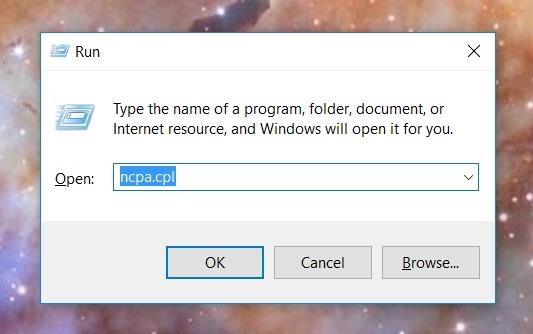
- Go to your network adapter settings. (This can be done by accessing Network Connections through the Control Panel, by using the Run menu (pressing Win+R on your keyboard and typing in "ncpa.cpl"), or by simply typing in "ncpa.cpl" in the Start menu.)
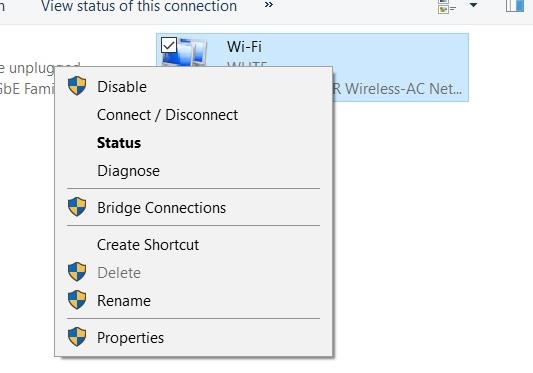
- Once the Network Connections window pops up, find your wireless network, right-click on it, and select "Status" from the menu.
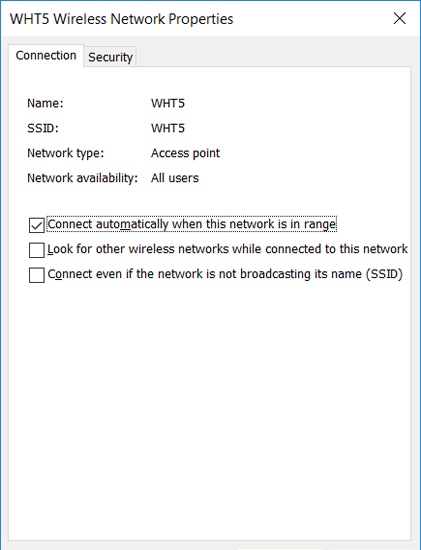
- In the Wi-Fi Status window, tap on "Wireless Properties."

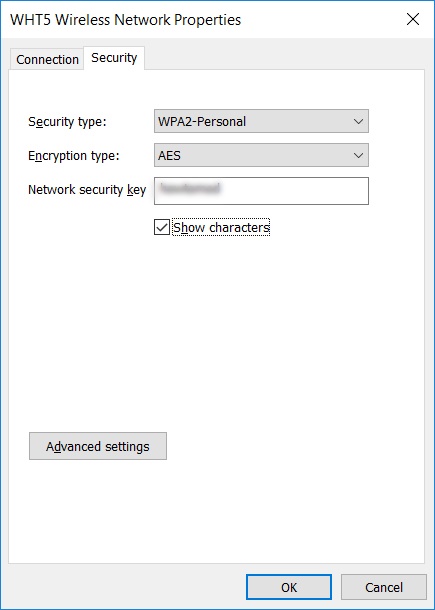
- Go to the Security tab, and check the box next to "Show characters."
- Your password will appear in the text box next to "Network security key."
And with the password in-hand, you can give it away to a friend or family member, use it on your other devices, or even just jot it down somewhere so you can quickly access it later without having to go through this process again
Check Windows installation Date
Win XP , Windows Vista, Windows 7/8 and Windows 10
Start > run > cmd > systeminfo
- Open the start menu
- search cmd
- open the command prompt application
- type "systeminfo" (without quotes) and hit the enter key.

Subscribe to:
Posts (Atom)